
Implementation for distributors
Move from scattered records to a working wholesale system
Dotcode helps distributors map their current process, configure QuickAccounts, migrate supported records and train the team before go-live.
- Free product demo
- Unlimited users
- Setup and team training included
Start with the real workflow
Review receiving, purchasing, sales, customer accounts, stock transfers and after-sales service before deciding what the system should contain.
Prepare and migrate supported records
Agree the source files, product fields and customer information that can be migrated. The scope should be confirmed before implementation begins.
Train the people who use it
Team training covers the daily records your business relies on, from stock entry and invoice lookup to serial-based warranty checks.
Inside the workflow
A practical record trail from stock to service.
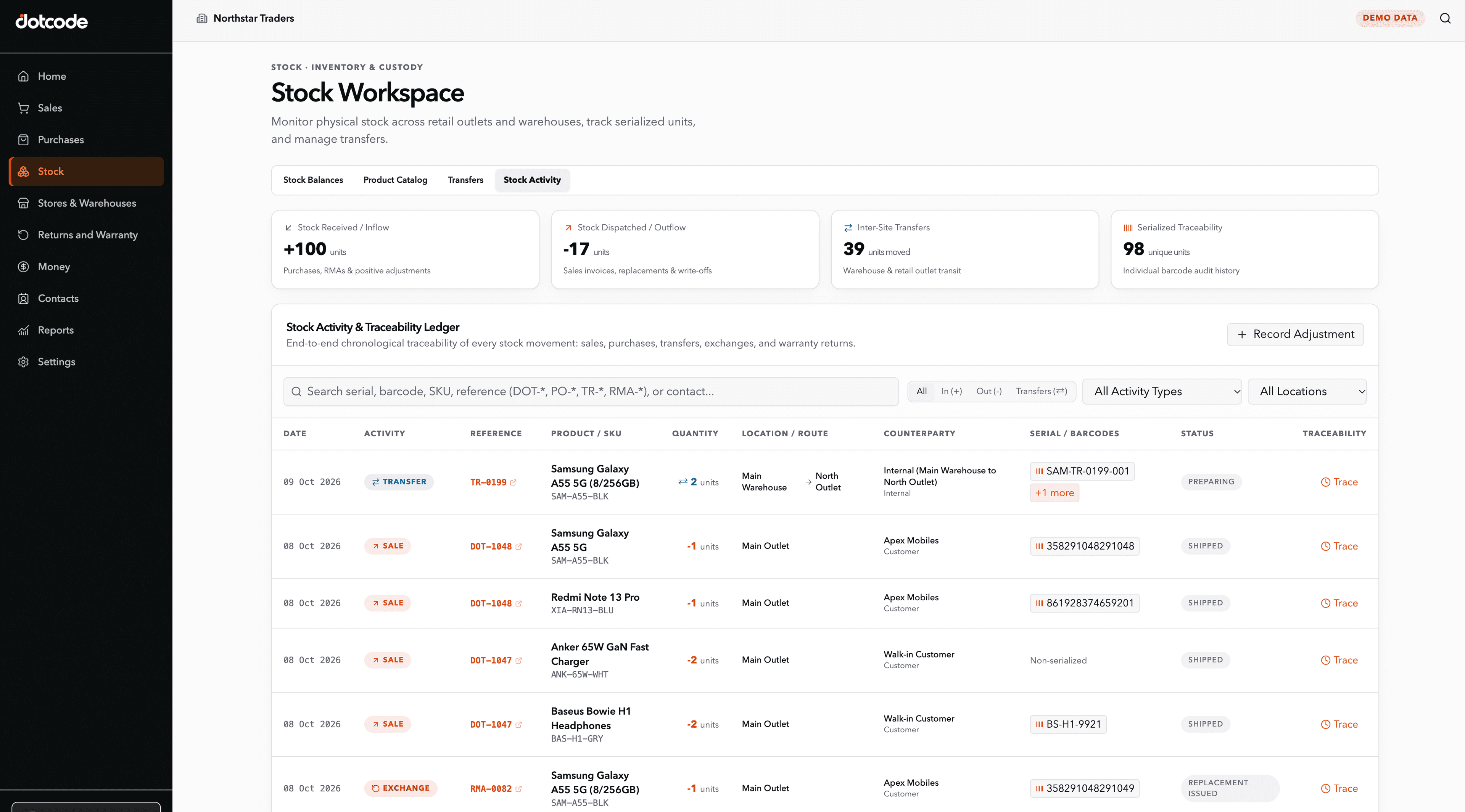
A distributor can receive a serialized product, sell it against a customer account, find the original invoice later, and review a warranty or RMA request without rebuilding the history from separate spreadsheets.
- Receive: Record products, quantities and serial numbers.
- Sell: Connect the item to the customer and invoice.
- Resolve: Verify warranty status and coordinate return or replacement.
See whether QuickAccounts fits your workflow
Talk through your current records, team needs and setup before choosing a license.
Frequently asked questions
How long does implementation take?
Timing depends on your locations, data quality and workflow scope. Dotcode confirms the implementation plan after reviewing your operation.
Can you migrate our Excel records?
Supported data migration may be available. Share sample files during the demo so the scope can be assessed accurately.